Write your CV once. See it in over 200 designs.
QuickView keeps your details separate from the layout, so you can try a different design without retyping a word. Free, no account, and everything stays in your browser.
- A4 and Letter
- Text stays selectable in the PDF
- Works on phone and desktop
Same facts, different design
This is one resume rendered by real templates from the library. Pick a design on the left and the page redraws.
Designs for the way you work
Every profession has its own conventions. Start from layouts built for yours, then change anything.
A few that look nothing alike
Sidebars, header bands, timelines, margin headings, plain single columns. Every thumbnail is drawn by the same renderer your PDF uses.
From blank page to PDF in three steps
Choose a design
Search by profession, filter for ATS-friendly layouts, favourite a few and compare them side by side.
Open the template explorerFill in your details
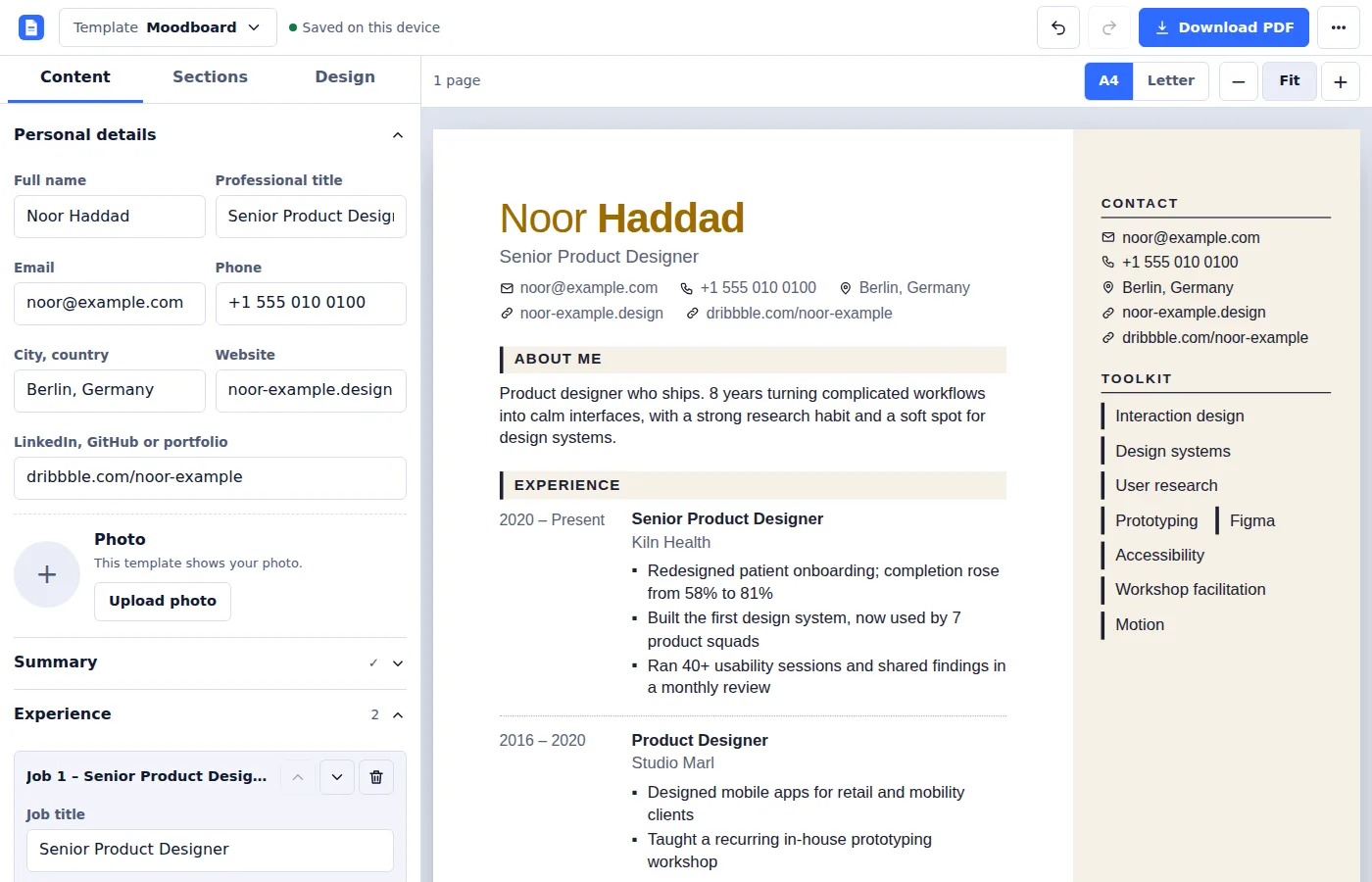
Add experience, education, skills and more. The preview updates as you type and autosaves in your browser.
Open the editorDownload your PDF
Choose A4 or Letter, check the page breaks, then use your browser's Save as PDF. Text stays selectable.
An editor that stays out of the way
- Live preview on the page as it will print, with real page breaks.
- Switch templates at any time. Your content is stored separately from the design.
- Ten built-in sections plus your own: experience, internships, education, projects, skills, achievements, certifications, languages, references.
- Hide and reorder any section; add custom ones such as Publications.
- Typography controls for accent colour, font pairing, text size, spacing, margins and paper size.
- Undo and redo, backup export and import, and an automatic safety copy.
- Mobile ready with separate Edit and Preview views.
Your resume stays on your device
QuickView has no accounts and no database. What you type is saved in your browser's local storage and is never uploaded to us.
- Stored locally
- Content, style choices and your photo live in your browser only. Clearing site data removes them.
- You hold the backup
- Export everything as a JSON file whenever you like and import it on another device.
- PDFs made on your machine
- Export uses your browser's print engine. Nothing is sent to a server to build the file.
- One honest caveat
- Fonts load from Google Fonts, so Google can see that a font was requested. Your resume text is not part of that request.
Questions
Is QuickView free?
Yes. There is no account, watermark or paywall. You can create and download as many CVs as you need.
How do I get a PDF?
Click Download PDF in the editor. Your browser's print window opens; choose Save as PDF as the destination. If you see a Margins option, set it to None, because QuickView already applies your chosen margins.
Will an ATS read my CV?
No tool can promise that. The ATS-friendly filter shows layouts with one column, standard section names, no photo and real selectable text, which are the choices most likely to parse cleanly. Always check the result.
Can I change templates without losing my content?
Yes. Your content is stored independently from the design. Style choices you make, such as an accent colour, carry across and can be reset to a template's defaults at any time.
Where is my data saved?
In your browser's local storage on this device. Use Export backup to keep a copy, and Import backup to restore it somewhere else.
Which paper sizes are supported?
A4 and US Letter. Long resumes flow onto extra pages, and entries are kept together where possible.
Can I add a photo?
Templates that include a photo slot will show it. Many employers prefer CVs without photos, so the ATS-friendly filter only shows layouts without one.
Does it work offline?
The editor runs in your browser, but template fonts load from Google Fonts, so offline use is not supported yet.

Support this website
If QuickView helped you, you can support the admin with a small donation and help keep it free. Scan the QR code with any UPI app. Donating is completely optional.
Donations are voluntary gifts to the site admin and are not a payment for any service. Check the payee name in your UPI app before you pay.